
In all browsers
Go to connect.bowesit.com Enter your access code and click the arrow to the right (as below):
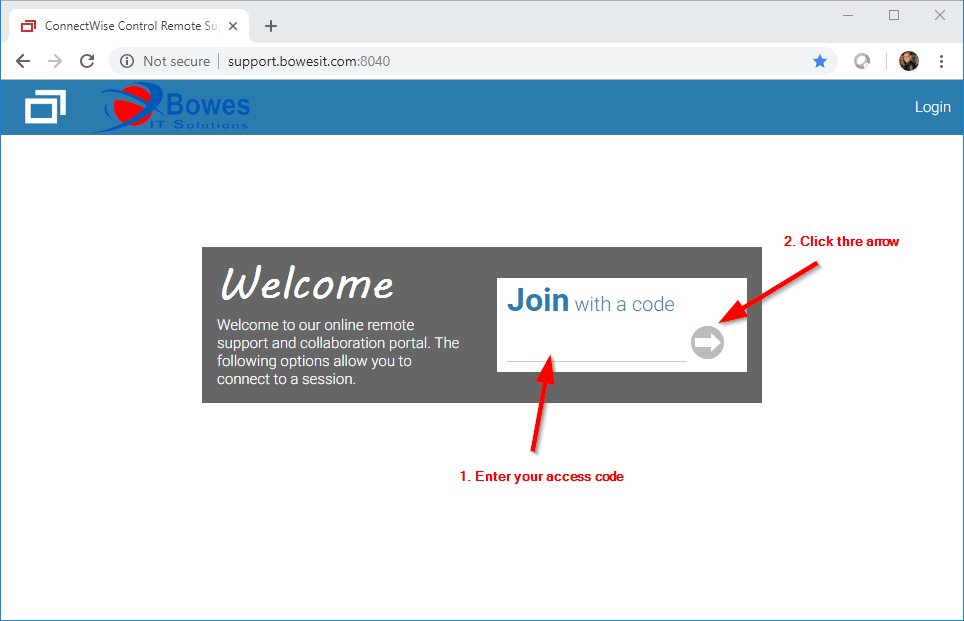
Now follow the instructions for your browser Chrome, Firefox, or Edge.
Chrome
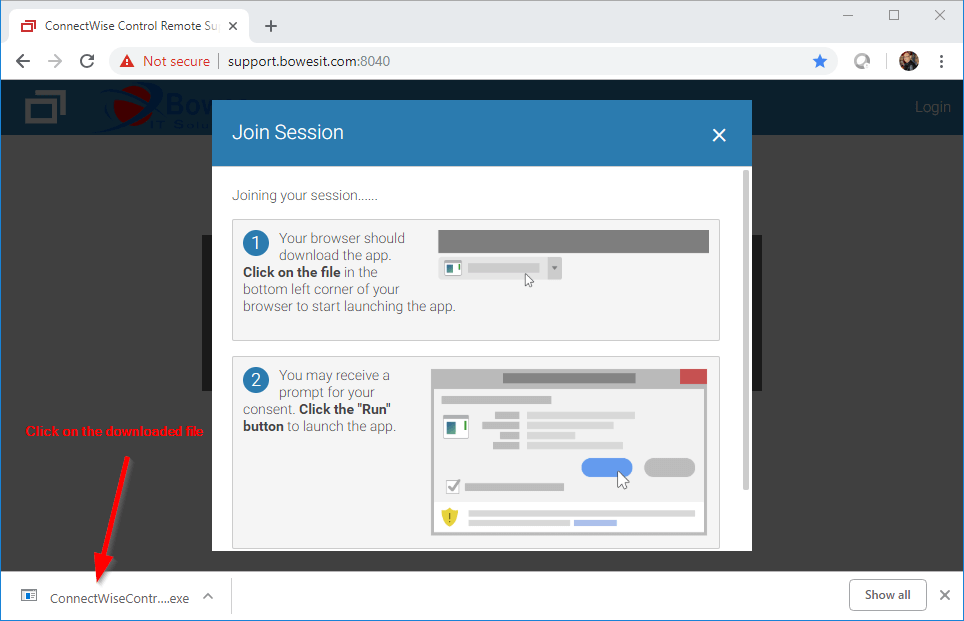
Next, agree to any prompts such as “Allow this program to make changes to your computer”. The session will start.
FireFox
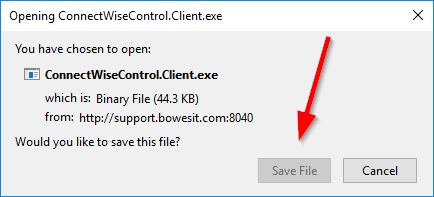
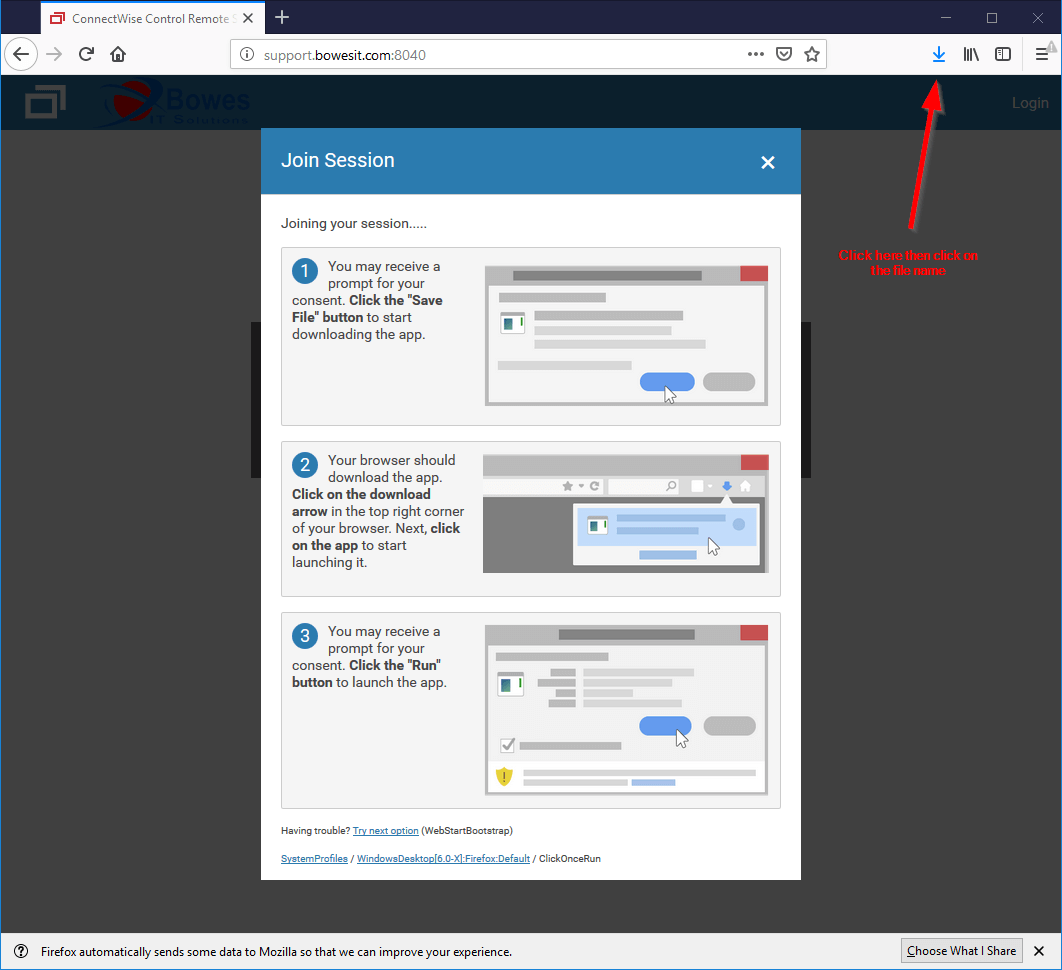
Next, agree to any prompts such as “Allow this program to make changes to your computer”. The session will start.
Edge
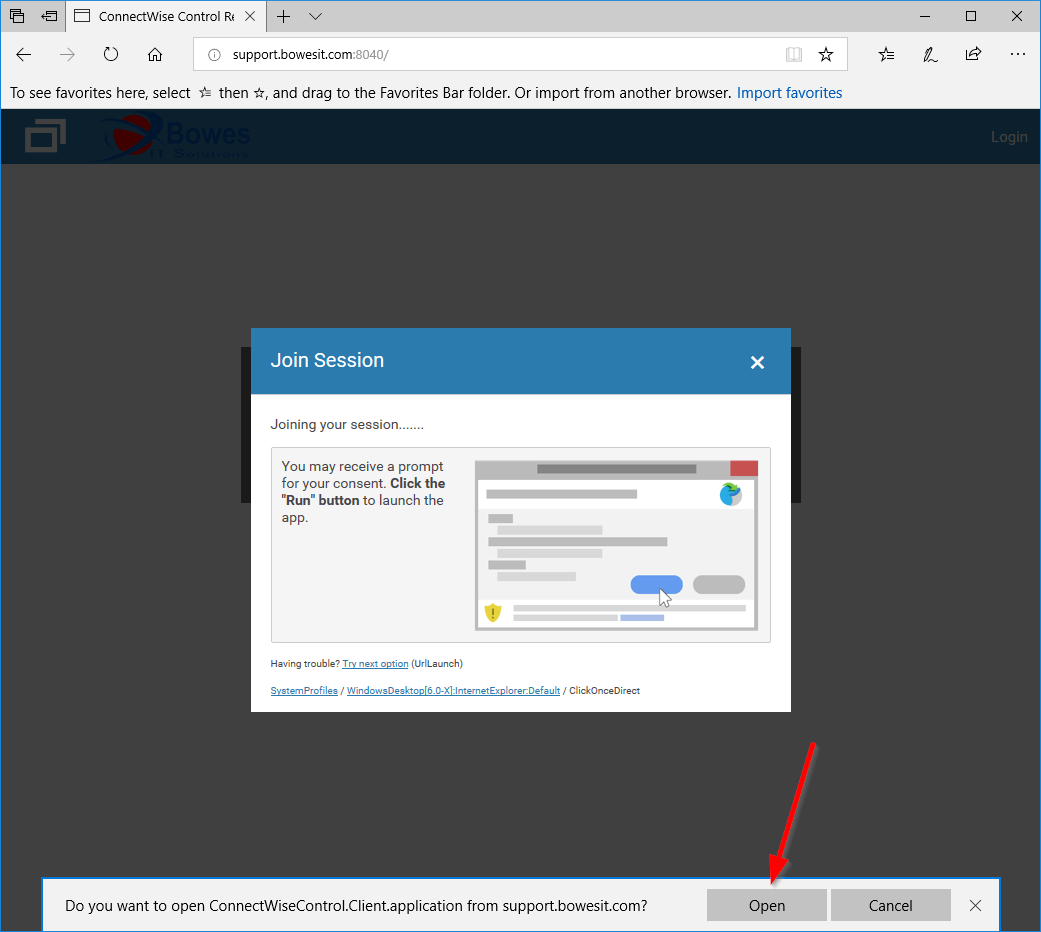
Next, agree to any prompts such as “Allow this program to make changes to your computer”. The session will start.